Wall cameras in AR
Point your phone at a wall and tap to mount a camera. The translucent beam shows the area each camera can see. Adjust the view angle, range and color per camera.
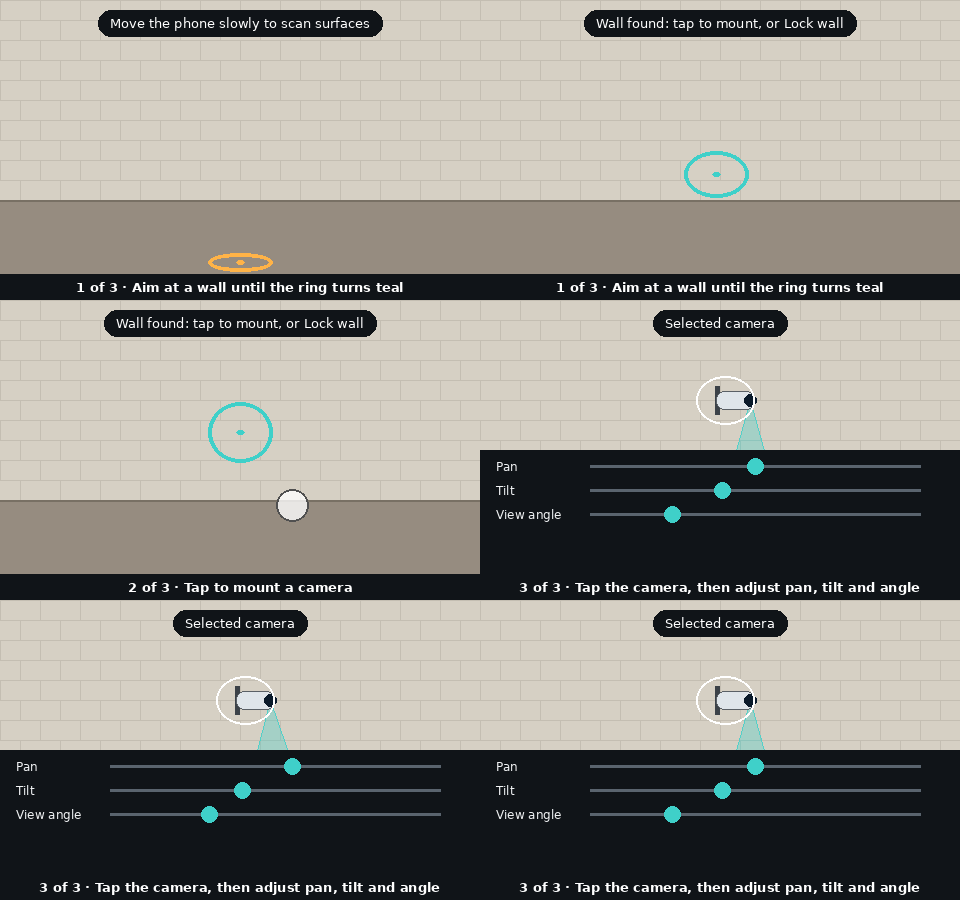
Needs Android Chrome with Google Play Services for AR.
How to place and aim a camera
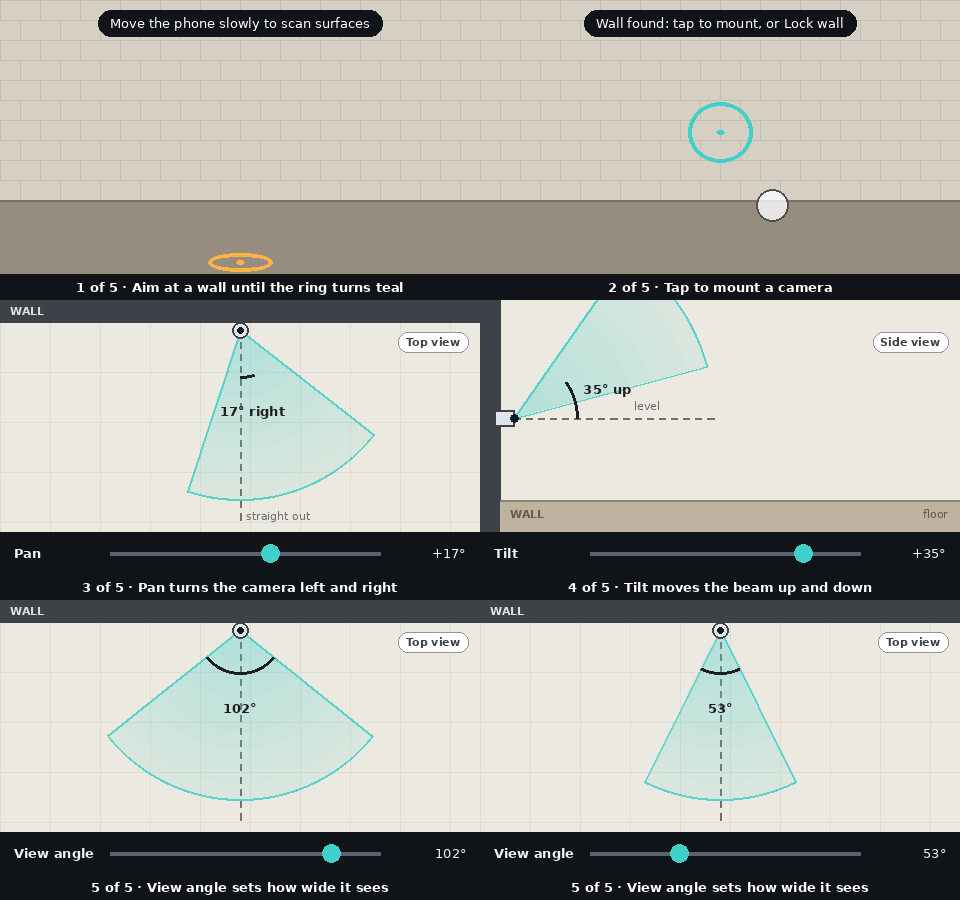
- Scan: move the phone slowly and aim at a wall until the ring turns teal. Orange means a floor or ceiling.
- Mount: tap to place a camera. For a high or plain wall, tap Lock wall first. Tap a camera to select it.
- Pan: turns the camera left or right, like shaking your head.
- Tilt: points the camera up or down, like nodding.
- View angle: how wide the camera sees. A small angle is a narrow zoomed view, a large angle is a wide view.
Change how the beam looks
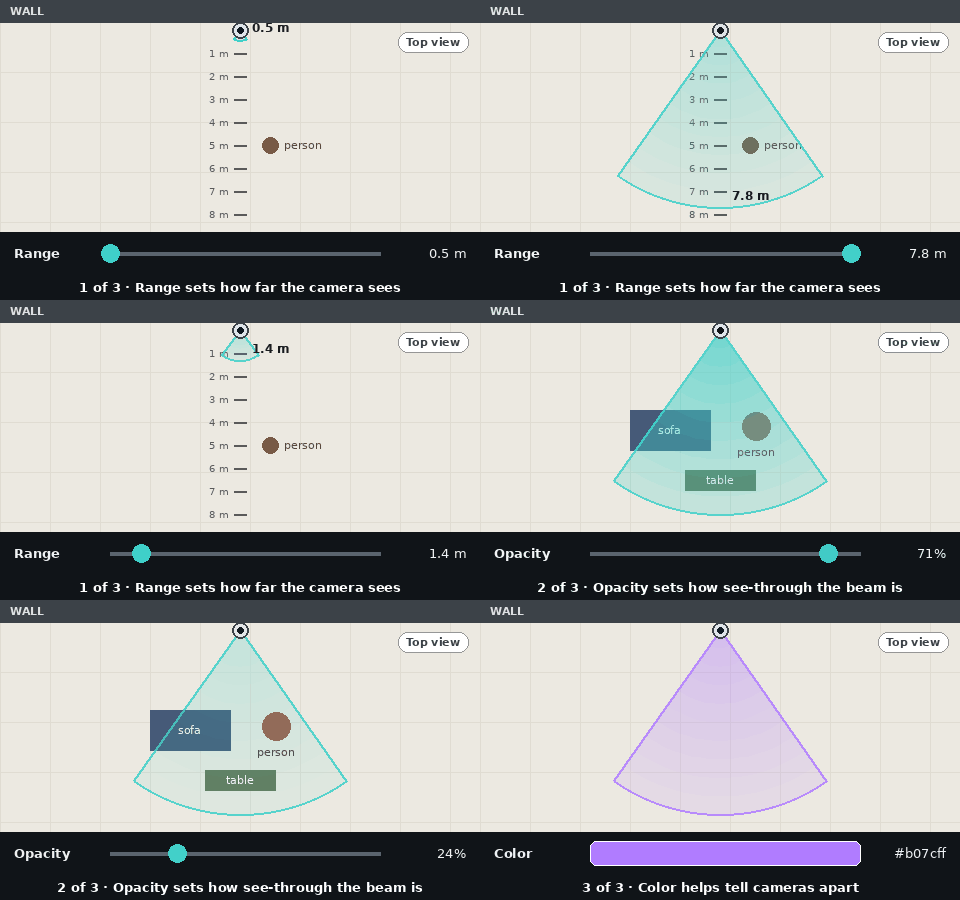
- Range: how far the camera sees, from 0.5 to 8 metres.
- Opacity: how see-through the beam is. Lower it to see objects behind the beam.
- Color: the beam color, handy for telling cameras apart.